

Mateos
-
Posts
102 -
Joined
-
Last visited
-
Days Won
7
3 Followers



Recent Profile Visitors
125426 profile views


Mateos's Achievements






-
 Mateos reacted to a post in a topic:
Non-systematic softlock-like situation with long lift
Mateos reacted to a post in a topic:
Non-systematic softlock-like situation with long lift
-
 Mateos reacted to a post in a topic:
When is Server.ClassCount populated/updated?
Mateos reacted to a post in a topic:
When is Server.ClassCount populated/updated?
-
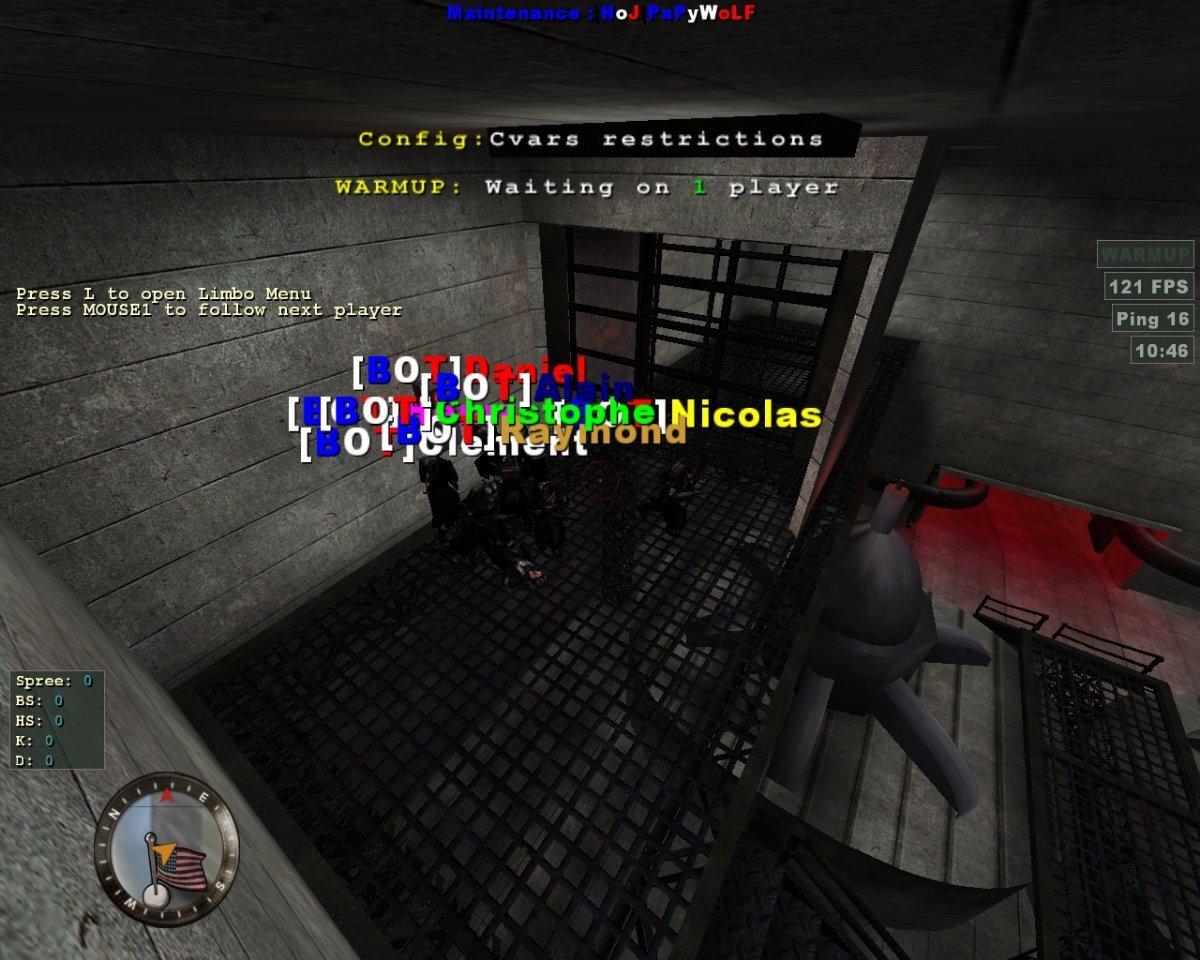
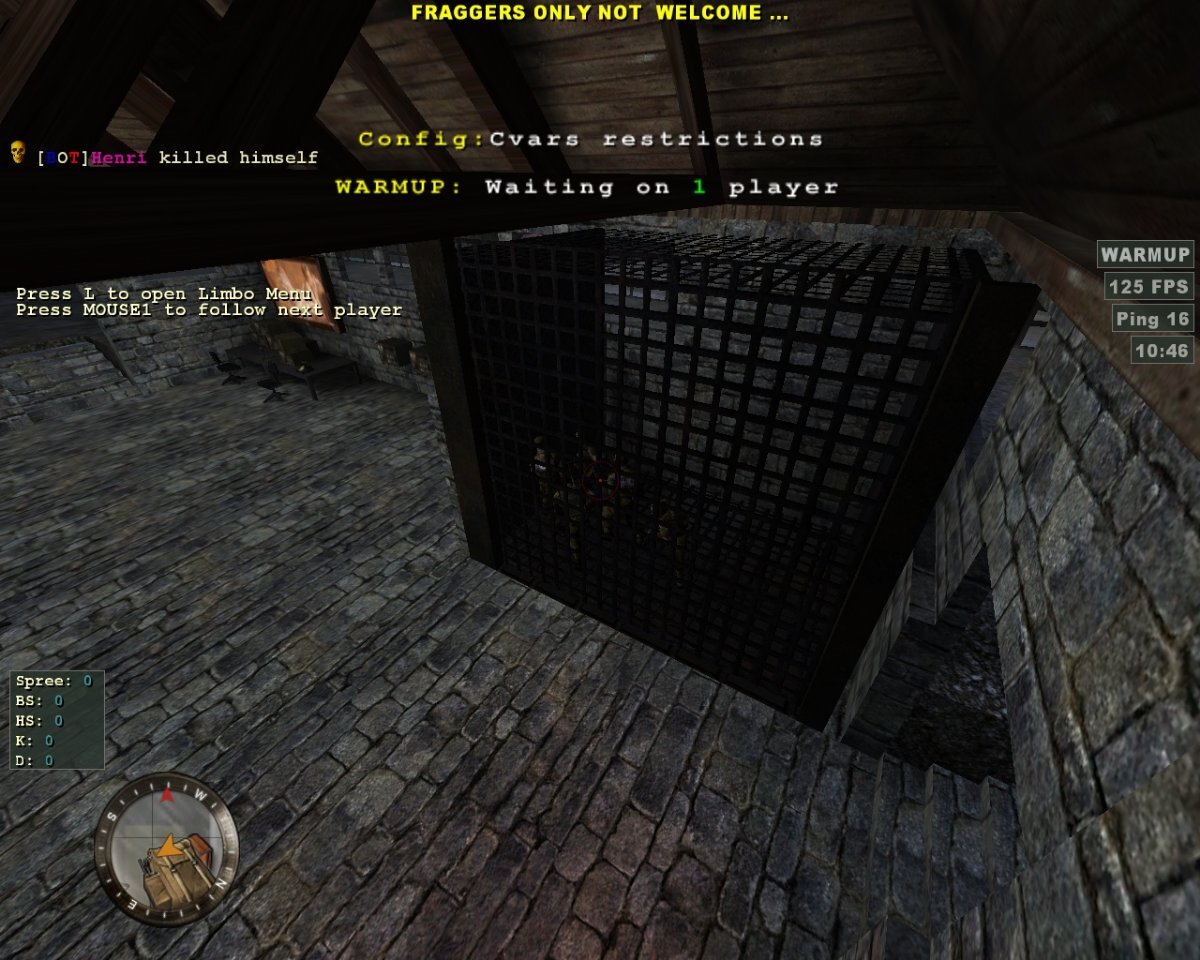
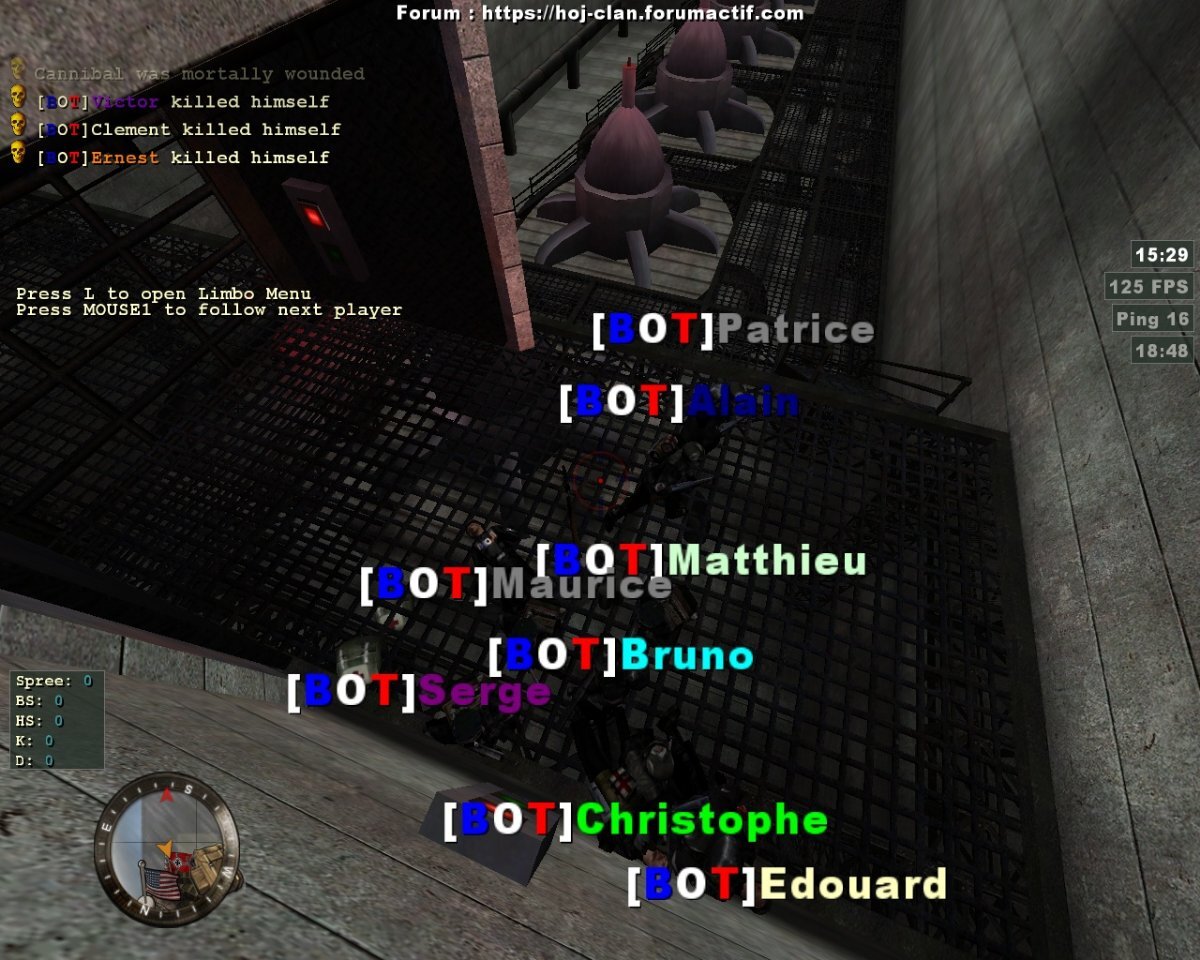
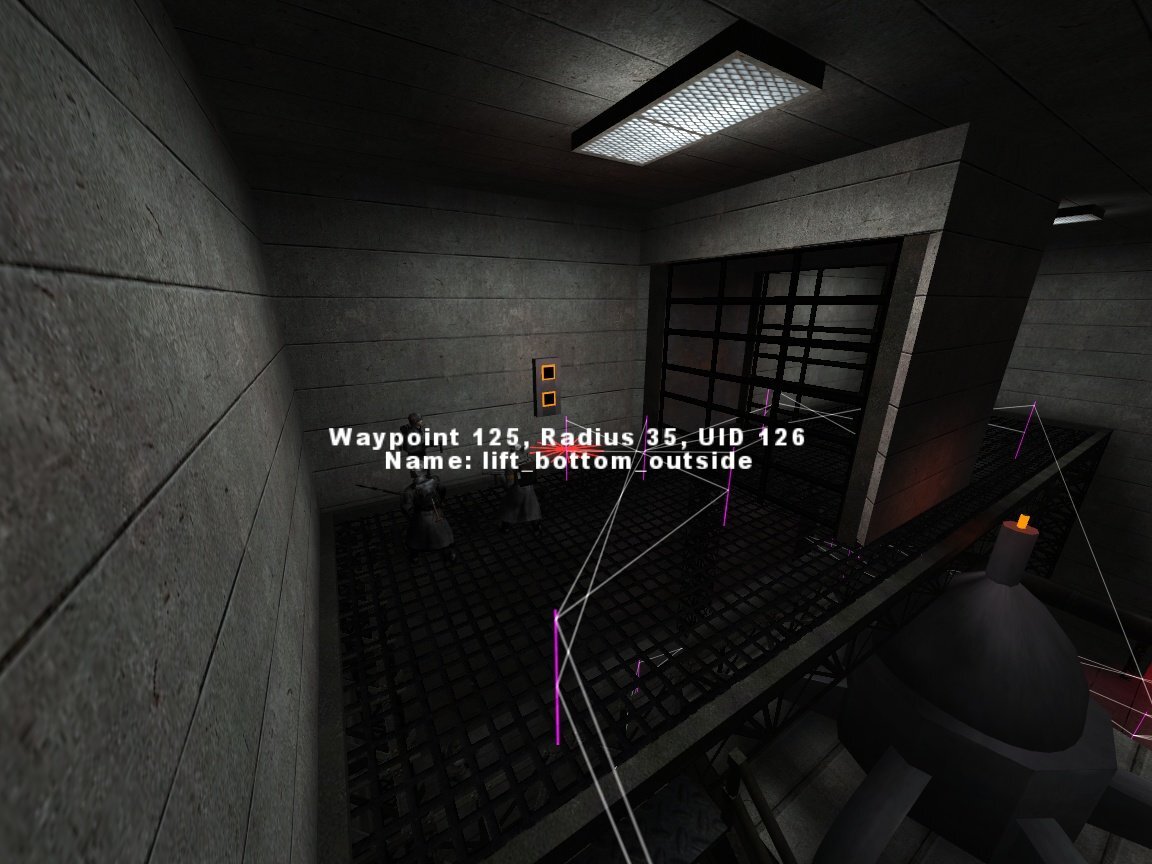
 The admin told me bots got stuck again, with below screenshots; something new is Allies at top _inside_ He runs SVN up-to-date files
-
Good afternoon, In OnMapLoad, I wanted to write something like: if ( Server.ClassCount[ TEAM.AXIS ][ CLASS.COVERTOPS ] > 0 ) { Util.LimitToClass( "PLANT_X", TEAM.AXIS, CLASS.COVERTOPS ); } But it returns 0 even though there's an Axis Covi I saw UpdateClasses in et_classmanager, which seems relevant, but not called from gm files (haven't check source code) There's Util.InitializeClassTables which does the initialization from et_autoexec Outside that... If DisableClassManager is 1 in et_autoexec, the count seems to remain at 0 no matter what With it at 0 (default), on a map without satchelable stuff OnMapLoad, the count is 0; but as soon as some Allied Engi builds something satchelable, it updates to whatever the team/class count is That's pure observation on Svarvadel using /bot p Server.ClassCount[TEAM.AXIS][CLASS.COVERTOPS], count gets to 1 as soon as either the Gun Control Ladder or the Scaffolding gets built, so I'm quite interested in how that works Map download link in case there's some magic not working for that particular map: https://et.clan-etc.de/etmain/svarvadel.pk3 Or perhaps this is something not supposed to be used in map scripts but rather strictly internally by OB? Thank you in advance Regards
-
Thank you very much!
-
Mateos reacted to a post in a topic:
Non-systematic softlock-like situation with long lift
-
Good morning, There's an issue that happened to a server and I've got once locally with a lift I'm not sure how to describe ^^" On Rjuken Dam: https://et.clan-etc.de/etmain/rjuken_beta4_1a.pk3 Happened that Axis bots at the bottom keep waiting while the lift reached the bottom - I suspect Allies called it 1st from top, not letting the chance to Axis to exit their Wait function, stuck forever? (Capture #1, provided by server admin) Also when the lift is at top so they can call it (that would require to re-enter related ExitConditions though if I get it correctly, perhaps here is the/an issue) (Capture #2, which happened to me once, with only bots) I give the precision bots-only because there's a small window where a real player could interact with the lift while Lift_Moving is still going Map.liftStatus was OK, checked with a custom command: Commands["print_map_var"] = { Func = function( _params ) { Util.MapDebugPrint( ToString( Map.liftStatus ), true ); }, Help = { "Prints a map variable value", "Usage: /bot print_map_var/pmv", }, }; Commands["pmv"] = Commands["print_map_var"]; Need an exterior look at it ^^" Sorry for not being able to give reproduction steps Thank you in advance Regards
-
Mateos reacted to a post in a topic:
Navigation under water, especially in vertical pipes
-
Mateos reacted to a post in a topic:
Question on 'omnibot_mapname.log' files generated at Dedicated bin level
-
Good evening, On maps such as Rjuken Dam, there's some navigation under water through vertical/horizontal pipes On a vertical entrance, with simple waypoints, bots barely get under water then back up at the surface waypoint, and so not reaching the bottom node Is it possible to have this working with just waypointing, or does it require some path through? It almost feels like ladders when you don't set the related waypoint flag (haven't tried to use that flag in this case) Thank you
-
Good evening, When launching a dedicated server, OB generates 'omnibot_mapname.log' files per map (I observed it, perhaps that's not precisely that?) Is there something that may turn that off? Writing permissions? Asking because I wanted to investigate why bots behave differently on a particular remote server, but the admin told me these files aren't generated on his end Thank you
-
Routing and weight
Mateos replied to vargatom's topic in Omnibot - Development, Discussion & Support
I just retried by editing the .gm (forcing spawn #1 in OnBotJoin and only enabling DEFEND_Flag_.* OnMapLoad), and it works first try... I don't know why doing something similar but during game progress with commands does not work the same I'll check my install and try with a clean one -
Routing and weight
Mateos replied to vargatom's topic in Omnibot - Development, Discussion & Support
Hello, I just performed a test on Seawall Battery There's a definition for DEFEND_Flag_.* (5 nodes) with a weight of 3 involved MapRoutes["DEFEND_Flag_.*"] = { ROUTE_AxisSpawn = { ROUTE_flagroute = { Weight = 3 }, ROUTE_gunpatrol = {}, ROUTE_southstairs = { ROUTE_guntop = { ROUTE_guntop = {}, }, }, }, }; I've written a command to move all 15 spawned Axis bots to spawn #1 (Axis Main Bunker, where ROUTE_AxisSpawn is; command calling ETUtil.SuicideSpawn), and an other command so these DEFEND spots are the only available goals to them (e. g. a SetAvailableMapGoals called through a console command) I had all 15 bots go through the 3-weighted route (flagroute) 3 times in a row I know the CAMP-type goals are limited to a single bot, but I'd expect sometimes a bot to go through one of the 2 other routing nodes (gunpatrol and southstairs) Is this test biased in some way? Or any misunderstanding of weight behaviour/probabilities behind? Regards Edit: 5 Axis bots, 10 times with the help of kt command, always through the bottom 3-weighted node -
Mateos reacted to a post in a topic:
Bot not moving out upon exiting path through use switch
-
OK, but still, what is wrong with the attached waypoints?
-
Good afternoon, Around 2016-2017, I told Tardis I would look into his Dam Revenge V2 waypoints, because that map has an elevator, and bots are just staying at the top, doing nothing In the current SVN files, there are directly-linked waypoints with a path through property, which I believe breaks the thing; I've reworked them to avoid that, reviewed the initial Enabled states and Wait functions, and fixed the OnTrigger for the lift movement, and the 1st part almost works (going from top to bottom) But once at the bottom, the bot doesn't move away (waypoint connections are correct) I've added some prints in the goal_paththrough_useswitch.gm script to make sure there isn't any more overlap(s) between the 4 path through use switches: bot exits correctly the one he's in and does not seem to enter any other one debugbot all fpinfo indicates it is going for the correct goal at the bottom (planting pipes), no reachability issue printed in console Map download link: https://wolffiles.de/filebase/ET/Maps/dam_revengev2.zip Attached my current files; adding an Axis Engi bot will have it build the CP then go through the elevator to reach the Pipes to plant at the bottom all the time for quick reproduction of the case Thank you in advance Dam Revenge V2.zip
-
Edit et/scripts/goals/goal_checkstuck.gm, and set this.LogStuckage to true (l. 6)
- 1 reply
-
- 1
-
-
vargatom reacted to a post in a topic:
covertops and switch operated enemy doors
-
covertops and switch operated enemy doors
Mateos replied to vargatom's topic in Omnibot - Development, Discussion & Support
I think by giving that switch the INFILTRATOR role, auto-given to bots in disguise; see: https://mygamingtalk.com/wiki/Roles- 1 reply
-
- 1
-
-
vargatom reacted to a post in a topic:
Question from "How to count players in a region"
-
Hello, You can see the DepotRoof trigger from Fuel Dump script; players going in limbo do trigger OnExit IIRC, was fixed quite some time ago
- 1 reply
-
- 1
-
-
Mateos reacted to a post in a topic:
Can't figure out why a specific TRIPMINE goal does not work
-
Good afternoon, There's a specific spot of a TRIPMINE that does not work in 1944 Nordwind 2, next to the Allied CP, with bot stuck in a loop; while I can myself put them there: The distance to the wall is correct (made a custom command to call ETUtil.CheckTripminePosition from the goal position to make sure) Map download link: https://fearless-assassins.com/files/file/2690-1944-nordwind-21-1944_nordwind21pk3-and-waypoints/?do=download&r=13200&confirm=1&t=1&csrfKey=bbb23202fbabcff8052b2c0883131733 Attached waypoints -> Only CP and this TRIPMINE are available to Allies OnMapLoad -> CP has a higher priority to be built 1st, because the TRIPMINE is inside the build trigger of it; could that be the issue? What is the issue here? Thank you in advance 1944_nordwind2 - TRIPMINE at CP test waypoints.zip
-
Works perfectly, thank you once again!